
Step 2 of 6
Add the Bibles
You do this once. Download the Chinese and the English Bible into your Downloads folder, then bring them into the program with Open Downloads.
1. Download both Bibles from jw.org
On jw.org, find the New World Translation of the Holy Scriptures and download it as a PDF twice:
- in Chinese Mandarin (Simplified): the file is called
nwt_CHS.pdf - in English: the file is called
nwt_E.pdf
Leave them in your Downloads folder, with the names they came with. The program knows a Bible by the
letters nwt in its name.
Get the revised Bible, not the study edition. Choose the New World Translation of the Holy Scriptures (2013 Revision) in both languages. The Chinese study edition can only be downloaded as JWPUB, not as PDF, so the program can't use it. The verses are the same in both.
2. Bring each Bible into the program
- Click Open Downloads in the toolbar.
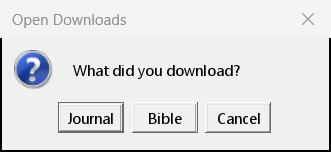
- The program asks "What did you download?". Click Bible.
- Your Downloads folder opens. Select
nwt_CHS.pdfand click Open.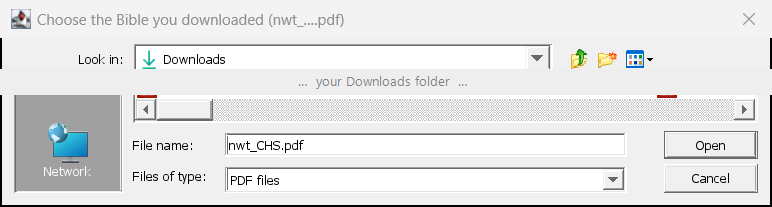
- The program copies it in and reads it once, which takes about 15 seconds. You'll see the progress at the bottom of the window.
- Do the same again for
nwt_E.pdf: Open Downloads → Bible →nwt_E.pdf.
Which Bible does what? The Chinese Bible shows the verses on the right when you click a scripture. The English Bible shows the same verse in English when you ask for a verse's English.
3. Check
Click Bible… in the toolbar. It lists the Bibles the program has; the Chinese one is marked (used for the scriptures).
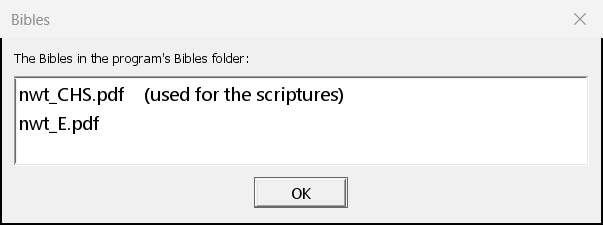
If the program says "isn't a Bible", you chose a journal by mistake. A Bible's file name has
nwt in it. Choose again.