
Step 6 of 6
Notes, Library and more
Write notes on paragraphs, find your articles again, print them, and keep a backup.
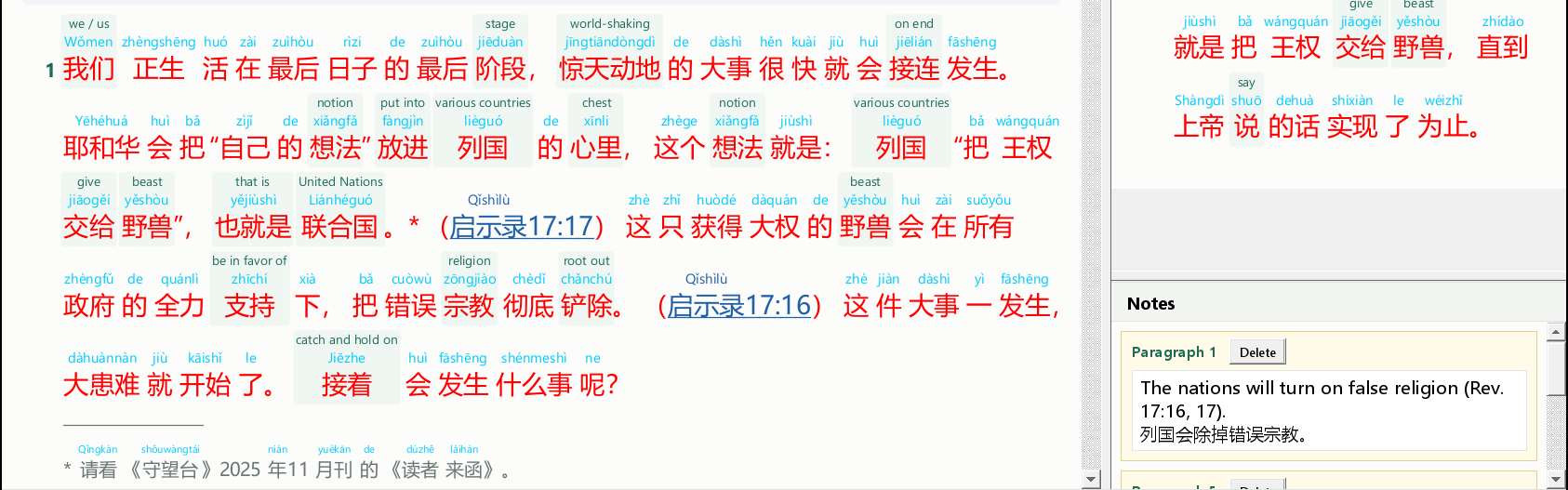
Paragraph notes
- Right-click a paragraph's number.
- A note opens in the notes panel on the right, headed Paragraph N. Type or paste English, Chinese or pinyin.
- Notes save as you type. Delete beside a note removes it.
Library: your saved articles
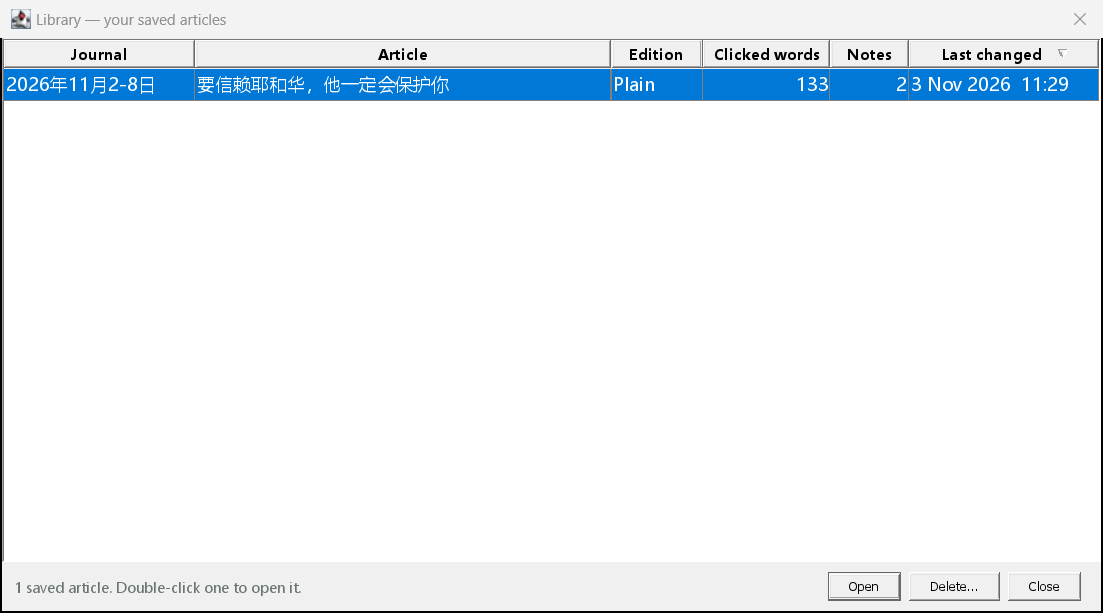
Everything is saved automatically. Click Library to see all the articles you have studied, with how many words you clicked and notes you wrote. Double-click one to open it.
Other buttons
| Print… | Prints the article as you see it, with your notes. To make a PDF, choose Microsoft Print to PDF as the printer. |
| Delete | Closes the article and deletes your study of it (after asking). |
| Back up | Puts all your articles, notes and Bibles into one file, for example on a USB stick. |
| Restore | Puts them back from a backup file, for example on a new computer. |
| LOOK AND FEEL menu | Changes the look of the program's windows. |