
Step 4 of 6
Study an article
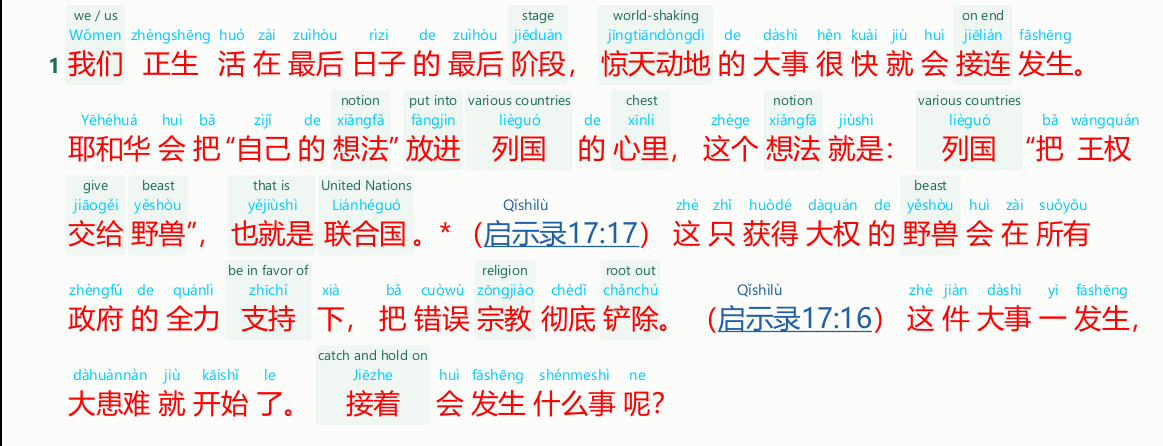
The article is on the left, the scriptures on the right. Click any word to see its English.
Click a word for its English
Click a word and its English appears above it, everywhere that word comes in the article. Click it again to hide it. The words you click are remembered.
The toolbar buttons for reading
| 3-line: all English | Shows English above every word. Click it again to see only the words you clicked. |
| Pinyin | Shows or hides the pinyin. |
| A− A+ | Smaller or larger text. |
| Colours… | Choose a colour each for the characters, the pinyin and the English. |
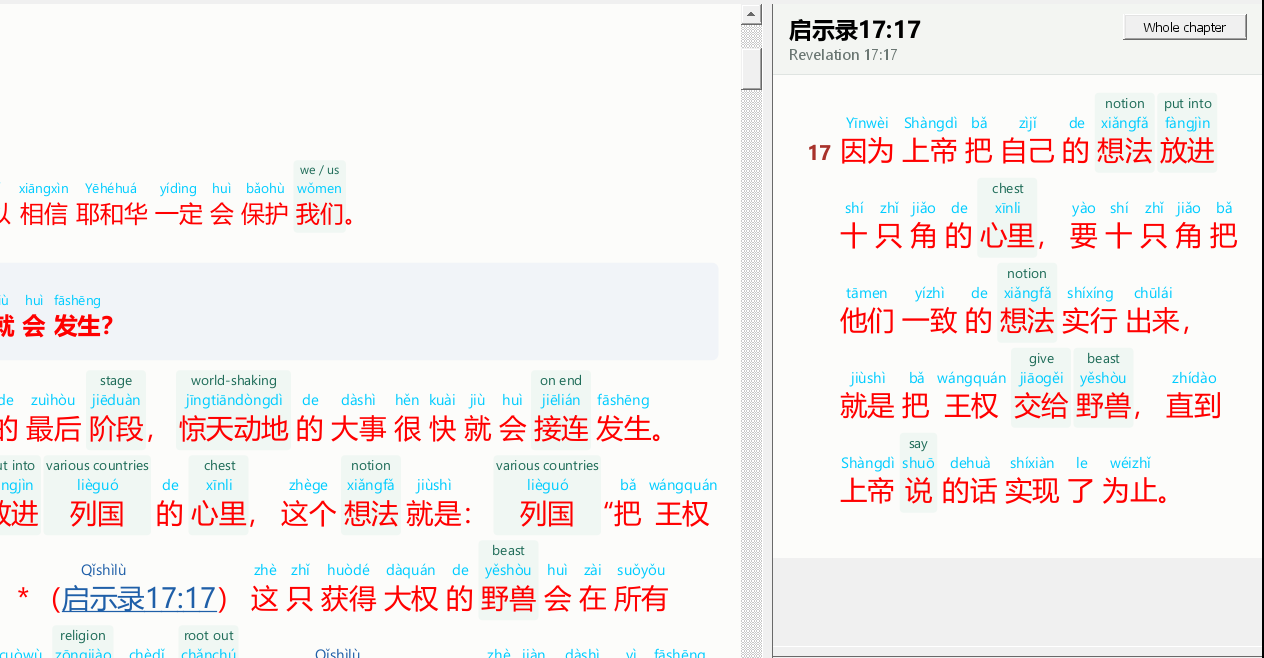
Click a scripture to read it
Scripture references are blue. Click one and the verses appear on the right, with pinyin. You can click words there for their English too.
Right-click a word for more
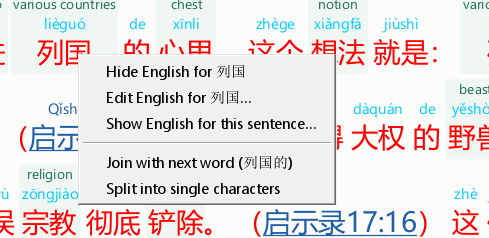
- Edit English for …: write your own English for that word.
- Show English for this sentence…: see step 5.
- Join with next word / Split into single characters: if the program divided the words wrongly.
Make the panels bigger or smaller. Drag the line between the article and the right side, or between the scriptures and the notes. The program remembers where you leave them.