
Step 3 of 6
Add the journals
Each month, download the Chinese Watchtower and the English Watchtower of the same month, then bring both in with Open Downloads, just as you did with the Bibles.
1. Download the two journals from jw.org
On jw.org, find The Watchtower (Study Edition) for the month and download it as a PDF:
- in Chinese Mandarin (Simplified), for example
w_CHS_202608.pdf. The pinyin edition works too. - in English, the same month:
w_E_202608.pdf. This is for comparing your Chinese sentence with the English one.
Downloads\w_CHS_202608.pdf
Downloads\w_E_202608.pdf
Keep the names as they are. The program finds the English Watchtower that goes with a Chinese one by
its name: w_CHS_202608 goes with w_E_202608.
2. Bring each journal into the program
- Click Open Downloads, then Journal.
- Select the Chinese journal, e.g.
w_CHS_202608.pdf, and click Open. - Click Open Downloads → Journal again and select the English one,
w_E_202608.pdf.
3. Open an article
- Click Open Journal PDF. It lists the journals you have brought in. Choose the Chinese one
and click Open.
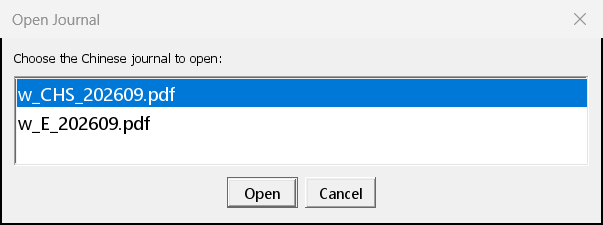
- Choose the study article you want and click OK.
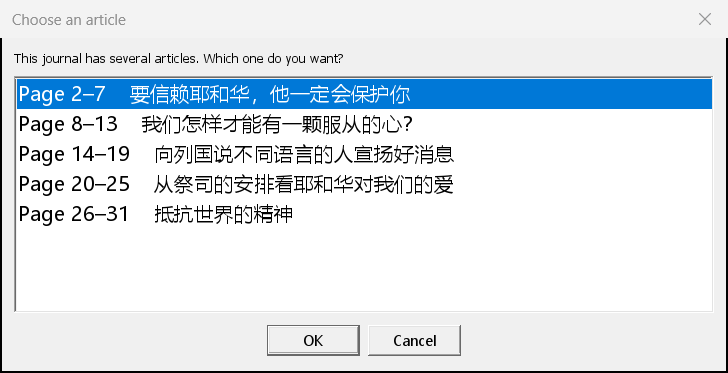
- The article opens with its characters and pinyin. It's saved automatically as you work.
If you choose the English journal in Open Journal PDF, the program says it's "not a Chinese journal". That's fine: the English one is only used for comparing, and the program finds it by itself.